Build your workflow
Here's a short guide to building a workflow.
-
In your organization, go to Workflows and define a verification flow.
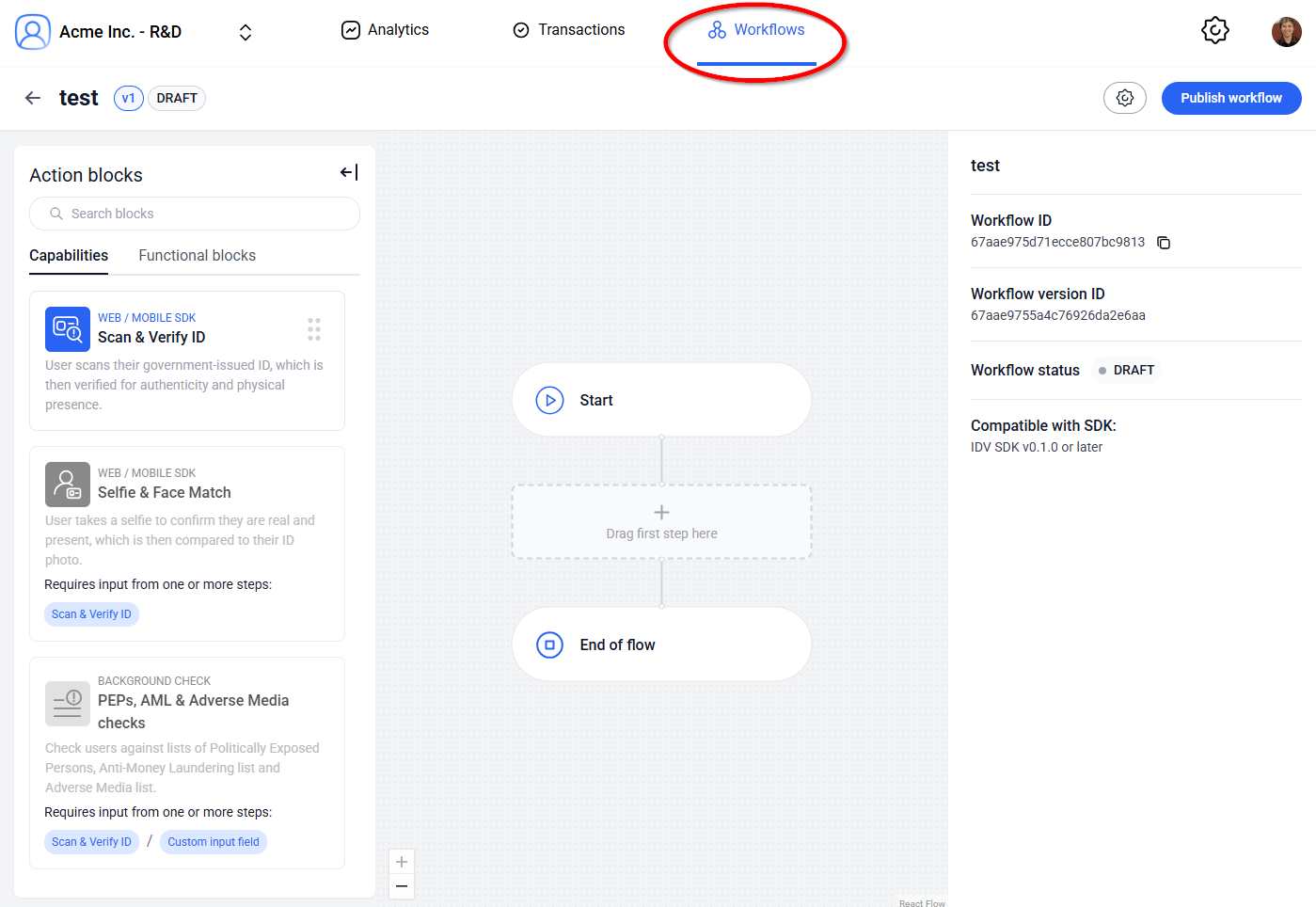 How to choose the SDK version?
Generally, prefer selecting the latest version, as that one will have the most features. However, for workflows being used by older SDKs, prefer selecting the same SDK version here in order to avoid compatibility problems.
-
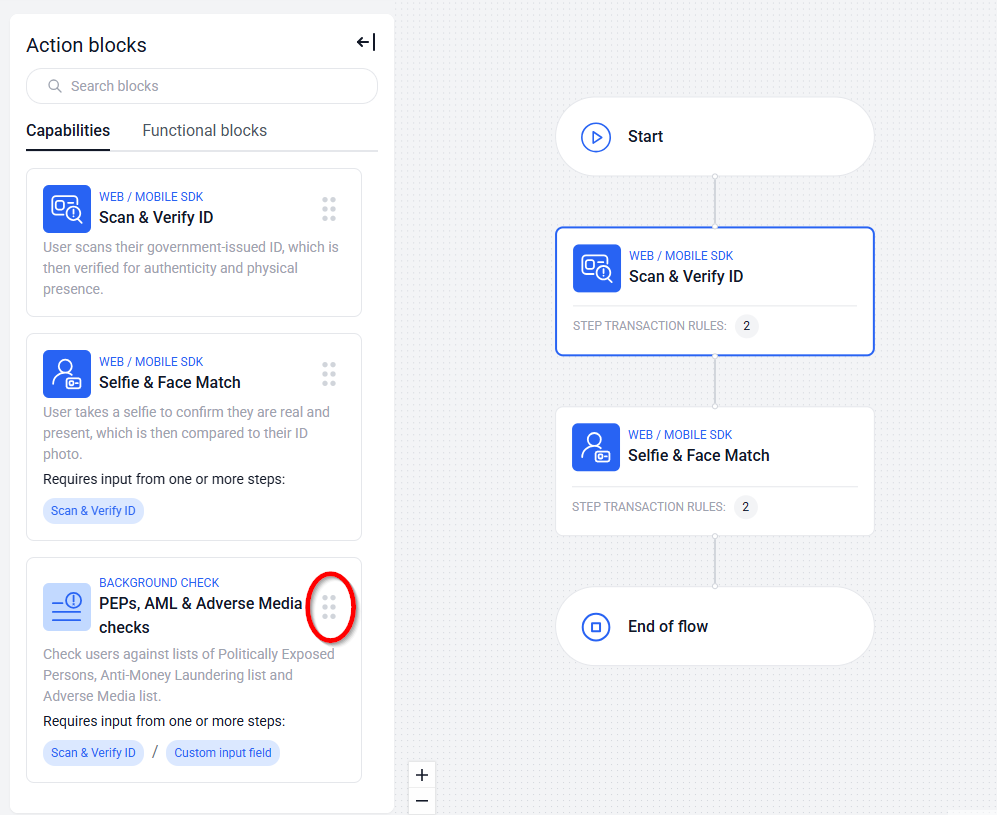
Drag & drop capabilities like Scan & Verify ID, Selfie & Face Match, or PEPs, AML & Adverse Media checks.
-
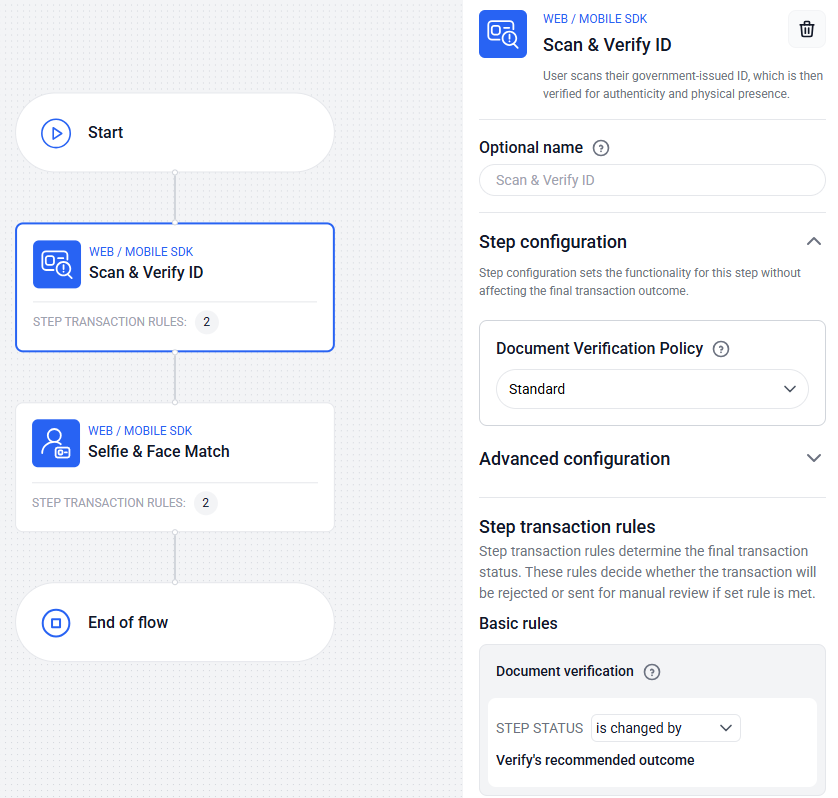
Using the right-hand pane, select the configurations, verification rules and thresholds for each capability.
-
Publish your workflow to accept new transactions.
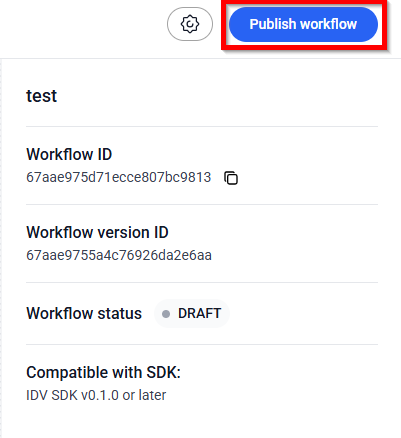
Make note of the Workflow ID value—this is the value you will be using in your SDK for this specific workflow.
For each of the steps above, many possible configurations are possible. These depend on your exact use case. Read more on how to configure specific fields in the rest of the docs.