Start node
You can use the start node to provide data to the workflow in advance of any user interaction. This could be used if you have existing data in your system that you want to confirm with other capabilities, for example matching a face image against a selfie.
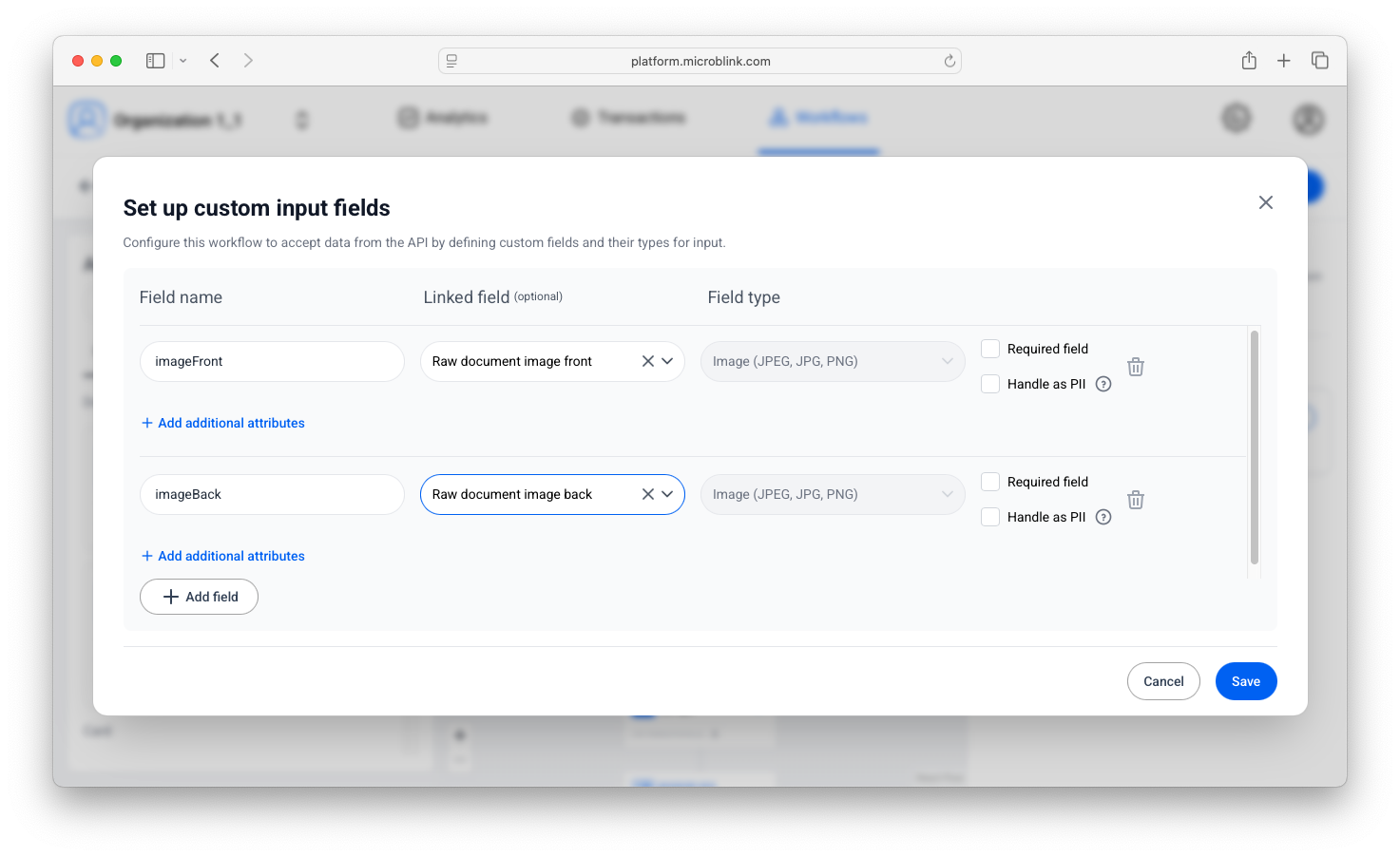
Uploading document images
If you want to upload a document image using the start node, the way to do that is by selecting raw document image as the linked field. Use Raw document image front or Raw document image back.
The Agent API expects a base64-encoded image:
base64 -i <your image> -o <output text file>
When executing the workflow itself (in the initial request towards the
proxy), pass the base64-encoded image using the formValues object.
{
  "workflowId": "string",
  "platform": "string",
  "sdkVersion": "string",
  "formValues": {
    "imageFront": "/9j/4AAQSkZJRgABAQAASABIAAD/4QB...",
    "imageBack": "/9j/4AAQSkZJRgABAQAASABIAAD/4QB..."
  },
  "props": {},
  "consent": {}
}
In the example above, we used imageFront and imageBack as example names for these
fields, but they could be called anything. The important thing is to properly link
them, as that allows other steps in the workflow to access them.